
It’s worth saying again: your most important writing tool is your bum. Get that derriere in a chair and focus on words and ideas, whether you’re using the latest thing in computer technology or a chewed-up pencil on an old grocery sack (don’t forget that Martin Luther King, Jr. wrote his seminal Letter from Birmingham Jail in pencil in the margins of an old newspaper. Good writing is mostly tool-neutral!).
But as I mentioned in my last post, it can pay to put a little thought into one’s tools. Last time, I talked about analog tools. For this and the next couple of posts, we’ll think about the digital ones.
I have to admit that I approached this post with a little more trepidation than the last: everybody’s got a computer—so what’s there to say?
I think one productive angle for thinking about digital tools is to consider taking a look just beyond the most typical ways of acquiring them. By “typical,” I mean the standard laptop and desktop configurations, and the impulse to purchase them new from the usual-suspect retailers. It’s worth being a little more circumspect than just grabbing whatever newer models happen to be on the shelf at Office Depot at the moment.
One reason for this is that, in most cases, writers don’t really need all that much computing power. A latest-thing PC is generally going to be overkill if its main function will be to run Word and ancillary software. That opens up the field a bit when one is looking for a new (to you) writing machine.
In the next few posts, I’d like to offer a few ways to think just beyond the usual knee-jerk considerations.
Idea One: Consider Refurbished Equipment.
Since writing and editing don’t require anything near the computing power of jobs that involve, say, massive number-crunching or video editing, the latest cutting-edge specs may well be overkill. At the same time, new equipment in the lower-end price ranges might not be adequate for professional purposes, since manufacturers that provide inventory for big-box retailers often cut many corners, especially in terms of build quality, to attain those lower price points.
One solution is to look at equipment that was state-of-the-art a few years ago. Many corporations lease “fleets” of business-class machines and routinely replace them every 2-3 years. The units that come off lease are then often purchased by companies that refurbish and re-sell them through retailers such as newegg.com. Purchasing such a unit gets the job done, saves no small amount of coin, and helps combat the growing problem of e-waste in our culture of planned obsolescence.
As a case in point, my current go-to PC for writing and editing is a first-generation Lenovo X1 Yoga that sold for well over $1500 when it was brand new in 2016. I’ve used mine since purchasing it as a refurbished unit in the summer of 2022 for around $400 (plus an extra $30 for a brand-new battery). It’s been able to handle everything I’ve thrown at it as a writer and editor, and then some. The build quality, too, is what one would expect from a high-end business-class PC. The only thing I really can’t do with it is play certain newer and graphically-intensive games, which is no skin off my back as my taste in computer games tends to lean retro in any case.
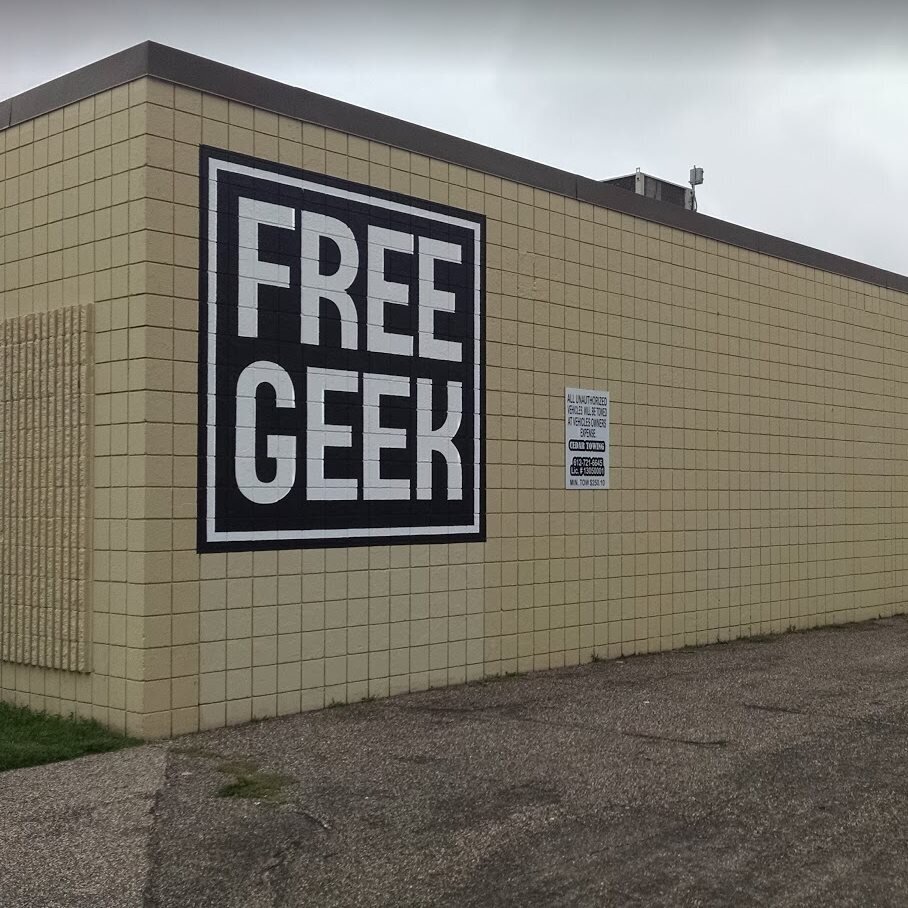
Depending on your particular needs as a writer, too, there are ways of spending even less money than I did, specifically by going through nonprofit organizations that specialize in recycling e-waste into usable (if lower-end) machines for very low cost indeed. For example, one organization in my region, freegeek is a nonprofit that takes in most recyclable electronics for free, uses recycled components and volunteers to produce inventories for both brick-and-mortar and online stores, provides extremely low- or no-cost computers for low-income families, and even provides training courses. Purchasing from their online and physical stores, of course, funds their work to make low-cost but reliable computers available to everyone. It’s really a win for everyone: average users can purchase a desktop or laptop machine well-suited to most everyday tasks for under $200, the organization makes a sizable dent in the amount of e-waste going into landfills, and many low-income folks gain access to the computers everyone needs to get along in our digital world.
My next computer purchase will probably be a desktop computer or server from Freegeek, for use as a backup computer, an NAS server (a way of providing one’s own “cloud” file storage service), and—for a little after-hours amusement—a Minecraft server for family and friends (we’re still a bit obsessed with that game around here).
What are your experiences with purchasing and using refurbished equipment? If you’re a writer, what software do you find yourself needing to use, professionally, and what kinds of hardware requirements do you find you need in order to run that software efficiently? I’d love to hear your thoughts about these questions in the comments.
 Bruce Editing Services
As a Mac person I find that I do almost all my writing these days on my iPad with a keyboard. For research I use Evernote. For drafting I use scrivener. For final edits I use Pages. Everything works on the iPad and the iPad goes everywhere with me. I do not need a lot of computer power and Word just feels overbuilt these days to me so I avoid it. Thanks for the forum. m
LikeLike
I totally agree with you on Word–way overbuilt, especially for what most users actually do with it. Personally, I prefer to work in Linux, and do most of my composing with a tool called Vim, which is an entirely terminal-based text editor (I’ll do a post on that at some point in the future). I use Obsidian and plain text files for notes. The only reason I even keep a Windows installation is that, now that I’m an editor by trade, I find that most publishers expect work to be done in either Word or Acrobat, neither of which will run in Linux.
LikeLike