Much great writing is born of frustration.
In this case, my frustration as an editor stemmed from a recurring issue in several recent manuscripts: the inclusion of unattributed or questionable quotations that sent me down wild-goose-chase tangents, trying to trace their origins. These weren’t cases of plagiarism, just well-meaning writers (often subject-matter experts with limited writing experience) misusing quotes or sourcing them carelessly.
To be clear, I don’t blame the writers. Part of my job is to help writers polish their work and clear up such issues. But it did get me thinking: a little guidance on how to quote well, not to mention how to verify a quote’s origin, saves editors time and writers money. More importantly, it will strengthen the credibility of the writing itself.
This blog series is designed to be that missing resource: a practical guide for writers, editors, and publishers alike on how to use quotations with integrity, clarity, and impact.
Thus, in the first post, I shared (disguised) real-world examples of misused or misattributed quotes I’ve encountered in editing, along with how I tracked down their true origins.
In the second post, I explored why these kinds of quote problems matter. I explain how they can subtly (or not so subtly) erode a writer’s authority and credibility. I also discussed the risks of sourcing quotations through Google or AI tools without verifying their accuracy or context.
Now, it’s time to focus on the positive side of the equation:
How can you quote effectively, ethically, and accurately, in ways that actually enhance your writing?
Here are some essential tips.
Tip One: Let Your Voice Lead
This is the primary rule: your writing is yours; your writing should sound like you. No matter how brilliant a quote may be, it should never overshadow your own voice or take center stage.
Use quotations strategically. They should support your voice, not hijack it. The reader should always hear your voice loudest and clearest.
Tip Two: Quote What You Know
You’ve probably heard the classic writing advice: write what you know. A natural corollary for nonfiction and content writing is: quote what you know.
That means: don’t just Google “quotes about leadership” or ask an AI tool to “find a quote on resilience.” Instead, mine your own research. As you read, take notes, and explore sources, pay attention to the lines that resonate with you. Highlight them, save them, and record the full citation details right away. You should be able to show readers exactly where that quote comes from and how it supports your arguments and ideas.
Quoting from your own reading and research ensures several things:
- You’re using material you’re actually familiar with.
- You’re less likely to misquote or misattribute.
- The quote will be relevant to your argument, not just thematically adjacent.
- You’ll avoid pulling quotes out of context, because you know the context.
Bottom line? Use quotes that are grounded in your own understanding and research. This adds credibility, authority, and authenticity to your work.
Tip Three: Quote When The Wording Matters as Much as the Content
When it’ the content of another writer’s work that supports your ideas, it’s usually better to paraphrase rather than quote, precisely because paraphrasing will help ensure that your prose follows the first tip: It maintains your voice as the controlling voice, even as you discuss another person’s ideas.
It’s best to quote, on the other hand, when there’s something important about the specific way in which the other writer expresses the idea. The use of another writer’s words, in their own characteristic style, should contain something that deepens, adds layers, and enhances meaning in ways that wouldn’t be there if you merely paraphrased. You can check this by paraphrasing the idea yourself first: does your paraphrase do the job, or is there something the quote adds that’s not in your paraphrase? If the answer to the latter question is yes, then consider quoting.
Tip Four: Quote to Add Authority
This one’s slightly tricky. In general, quoting the words of a figure your readers will immediately recognize as authoritative can lend weight to your argument or ideas. However, there a couple of potential pitfalls to keep in mind:
- Don’t quote merely to name-drop. The name of a famous person isn’t going to help you express your ideas if they’re not authoritative in that area. If you’re writing about, say, a political concept, and you quote a celebrity actor who has no expertise in what you’re discussing, the quote can come across as a cheap name-drop rather than something that adds power to your message.
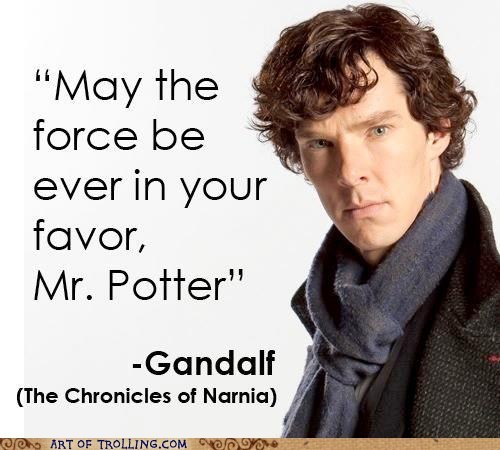
- Beware of misquotes and misattributions. Think about the Mark Twain quote in my earlier post: if Twain never actually uttered or wrote the phrases you’re quoting, that could undermine rather than enhance a reader’s sense of your authority. Especially if your reader spots or even suspects a misquote, you come across as sloppy rather than authoritative.
Tip Five: Source Everything
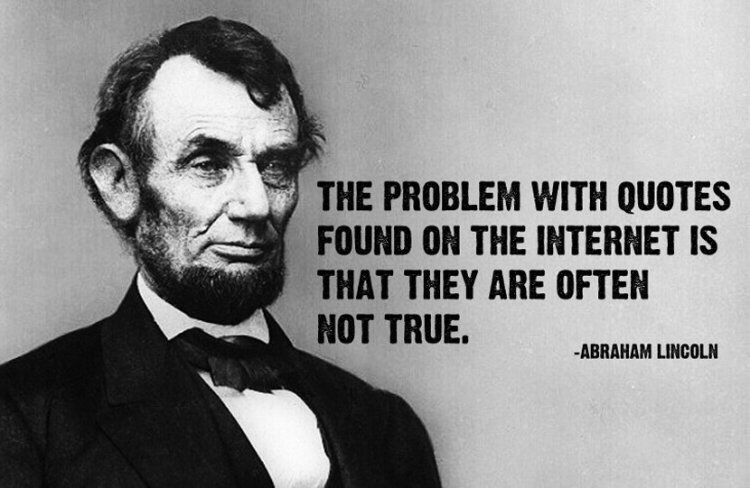
Think about what your mom told you as a child: “Don’t pick it up if you don’t know where it’s been.” As I mentioned in a previous post, internet quote sites usually cite a source, but very often misattribute that source. In a future post, I’ll talk more about how to verify quotes and track down sources for potentially dodgy ones. For now, as a general rule of thumb, don’t use a quote unless you’re certain of its provenance and can provide full citation information. If you find a quote you’re thinking of using, be sure to ask some basic questions:
- If the quote is attributed to a writer, for example, in which of that writer’s publications does the quote appear?
- What’s the title of the book in which the quote appears? When was it published and by whom? On what page does the quote appear?
- If the quote’s not from a book, where else could it have come from? A speech the writer gave? A response in an interview? If so, what’s the date of the speech, and can you verify the quote from a transcript or audio/video record? If it’s from an interview, can you verify when the interview took place, when and by whom it was conducted, and verify the publication information from the article in which the interview was published?
- If the quote isn’t attributed to a person, where did it come from? Is it just a popular aphorism that’s been around forever? What is known about that aphorism’s origins?
Tip Six: Avoid Cliches
I’ve seen manuscripts in which the writer peppered their prose with popular aphorisms and sayings, most of which were only tangentially related to the topic at hand. The quotes wound up detracting from the writer’s clarity and felt “cheap,” as though the writer was little more than a walking cliche factory. While there might be circumstances where a popular aphorism might truly fit the bill (such as the one I just used in the previous point, which intentionally makes use of the aphorism’s popularity to underscore the precise idea the paragraph discusses), ask yourself if there isn’t something better. And if you do use popular sayings, do so as sparingly and strategically as possible. If you use many such quotes, they are more likely to dilute your voice than to enhance it.
Tip Seven: If It’s Worth Quoting, It’s Worth Discussing
Never simply leave a quote hanging by itself, as though its relevance to your ideas is self-evident. Any quote deserves at least a sentence or three about how you’re interpreting it and what it adds to your ideas. Unpack it for your readers so they see its importance for your point as clearly as you do.
Bonus Tip: Get A Second Pair of Eyes
One of the best ways to make sure your quotes are landing the way you mean them to is to get someone else’s eyes on your draft. This doesn’t need to be expensive: a trusted friend who isn’t a writer can still read your work and tell you what they found interesting and where they encountered confusion. Of course, a professional editor is your best bet, as a person who is both highly sensitized to potential points of confusion and knows what to do about them.
That’s it for now! In a future post, I’ll talk more about how to source quotes well and how to verify their authenticity and provenance. In the meantime, I’d love to hear from others in the comments. If you’re a writing or editing professional, what other tips do you wish your clients knew? If you’re a less experienced writer, what questions come to mind?

 Bruce Editing Services